Free guide for Elementor site owners, developers and agencies
A hands-on guide from our rebuild of nivo.co.uk: setup, workflow, prompts and the problems we hit.
Written from our own experience rebuilding a 71-page Elementor website with Claude Code and Elementor MCP. Every section separates what we did from Elementor's official guidance, so you can tell which is which.


From our own rebuild
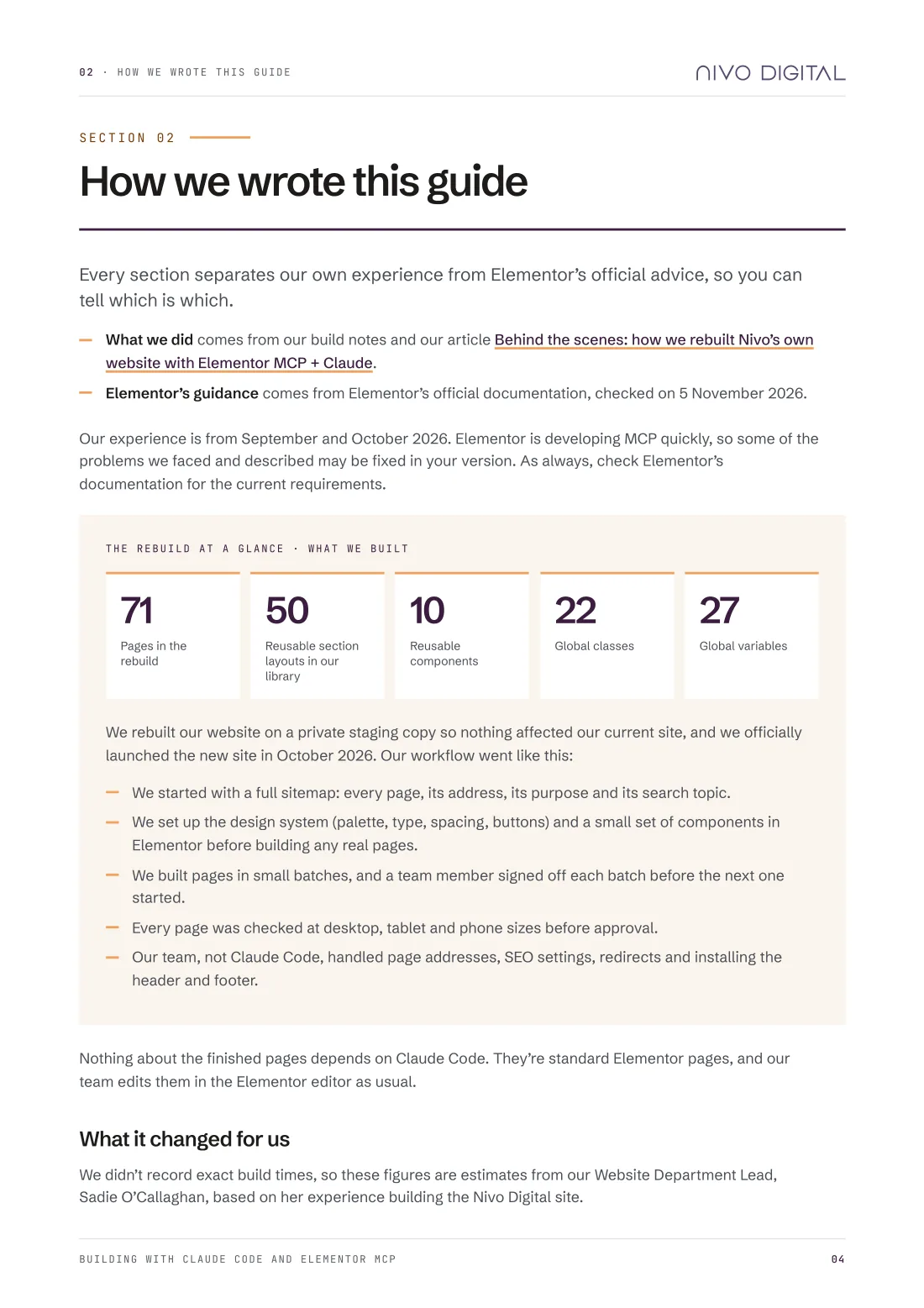
We rebuilt nivo.co.uk on a private staging copy and launched it in October 2026. These are our own project figures, not industry benchmarks.
The rebuild at a glance, as launched in October 2026. Time figures are estimates from experience, not measured build times.
Sadie O'Callaghan, our Website Department Lead, estimates the time saved on a standard page. The guide explains where the time goes, and what still needs a person.
2 to 4 hours
depending on complexity30 to 60 minutes
including reviewing the layout and making adjustmentsInside the guide
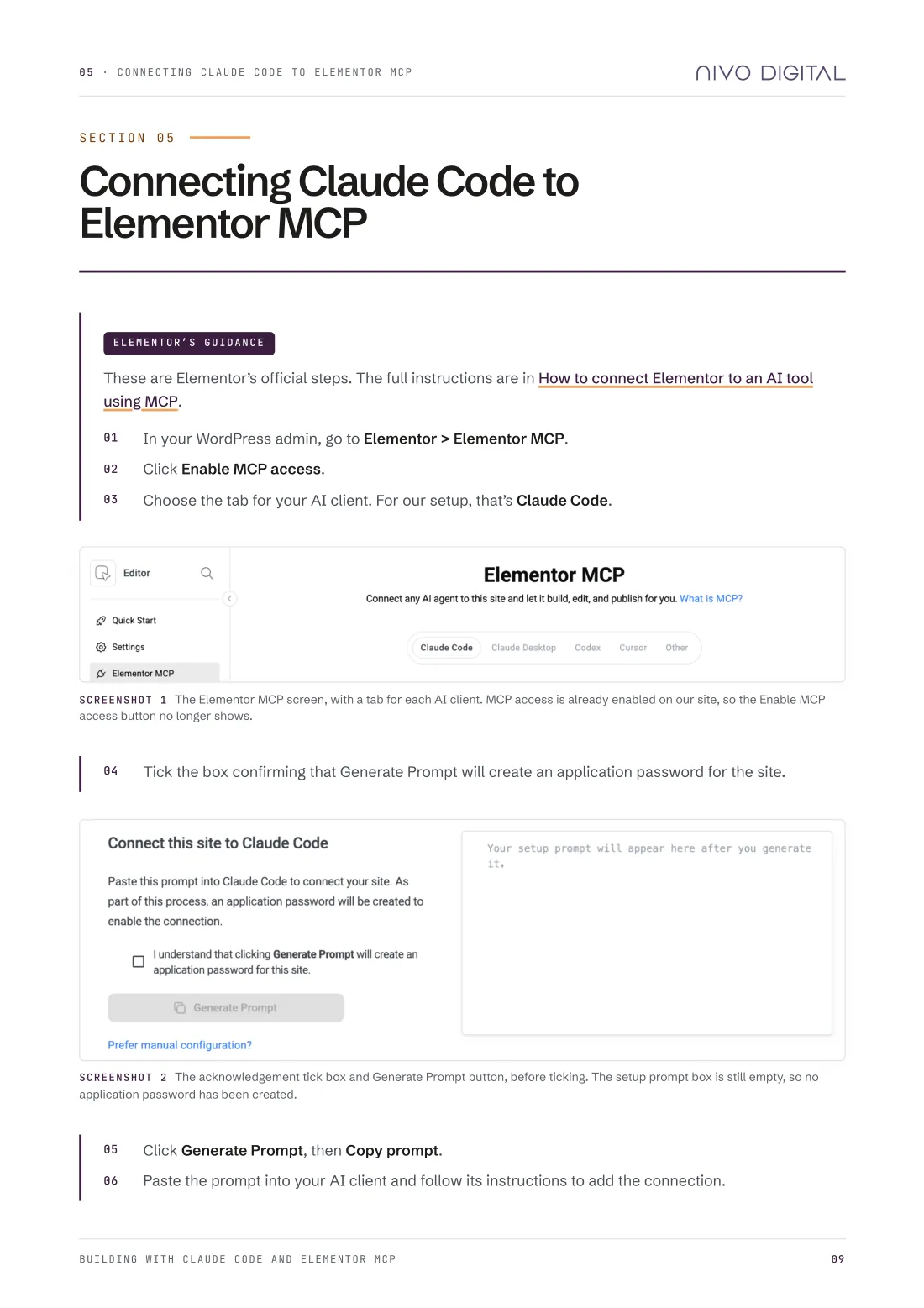
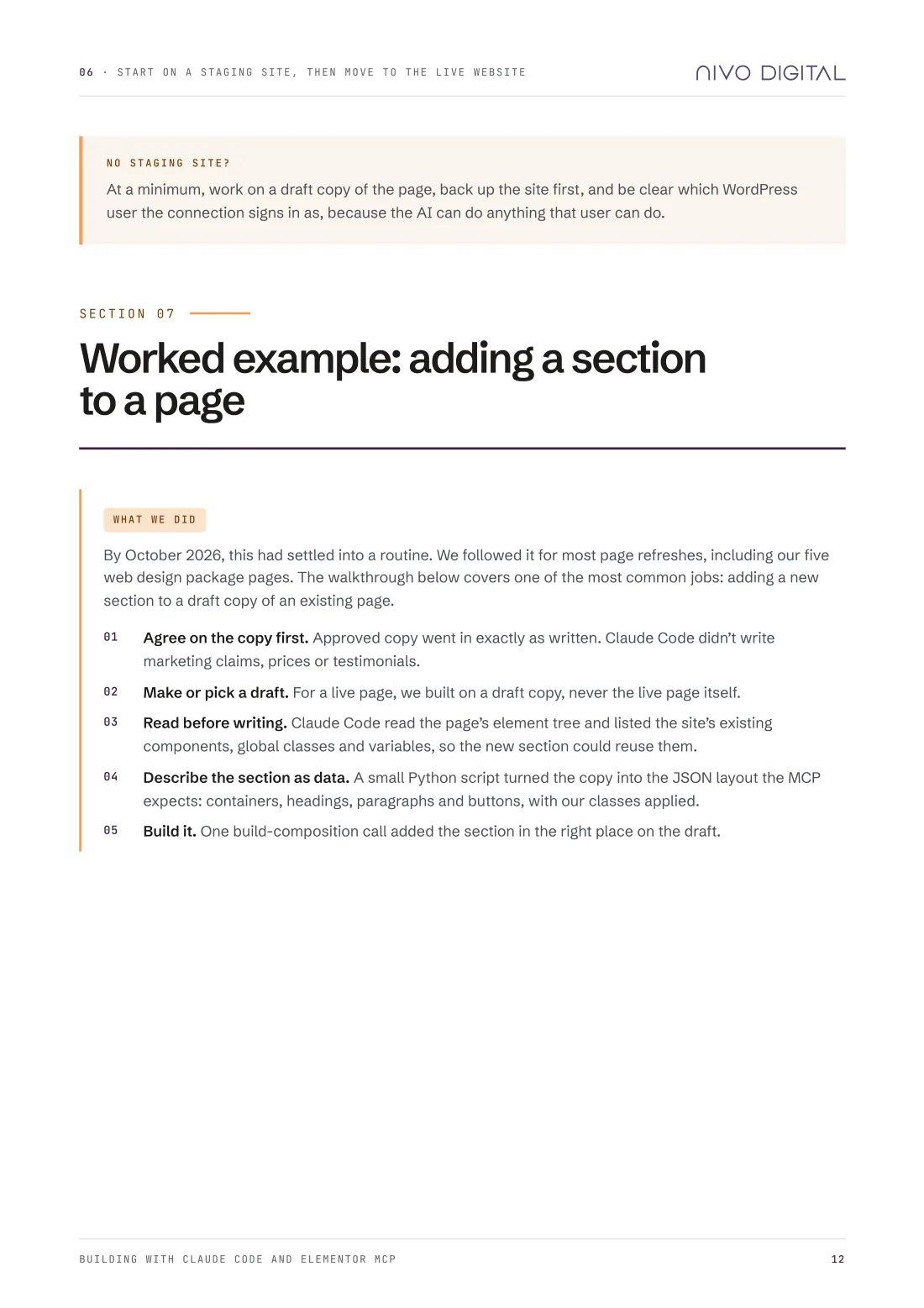
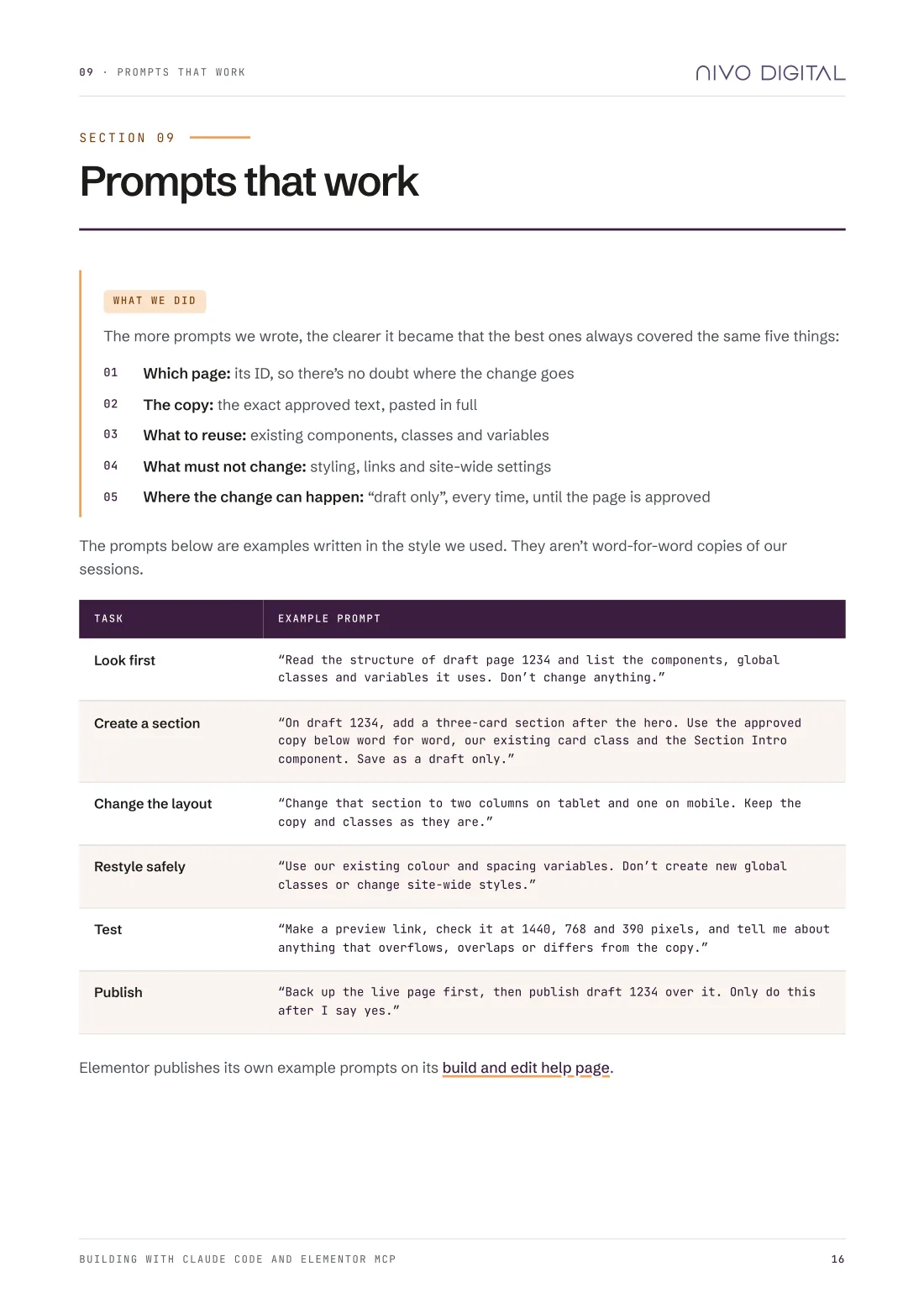
Pick a part of the guide to see a real page from it. Each section is labelled so you can tell our own experience from Elementor's official guidance, checked on 5 November 2026.
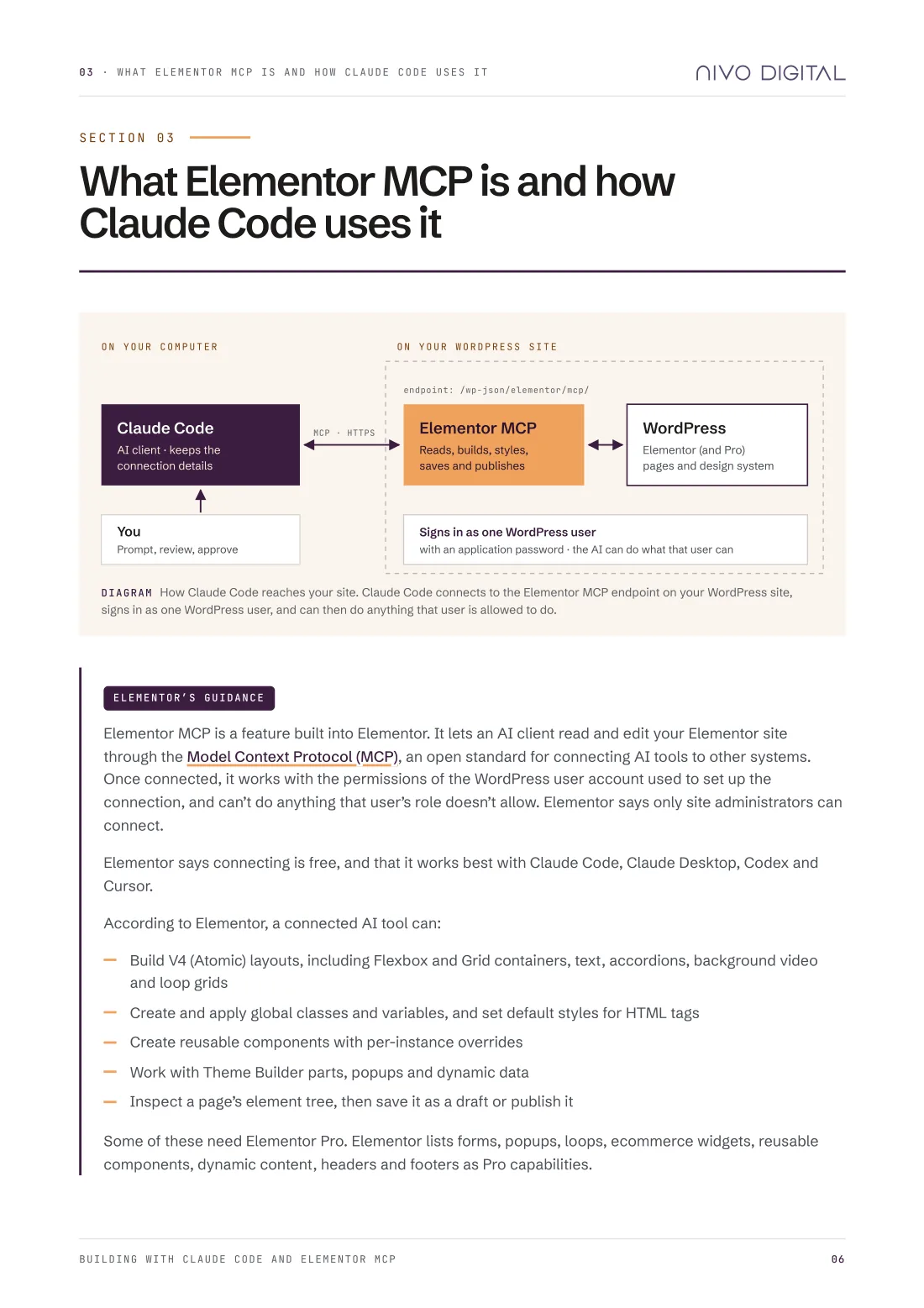
A diagram of how Claude Code reaches your site, and what Elementor says a connected AI tool can and can't do.
Inside this partClaude Code signs in as one WordPress user, and can do anything that user can do
Elementor MCP works with Atomic (V4) elements only, for now
Which capabilities need Elementor Pro
Who it's for
By the end, you'll know how to connect Claude Code to Elementor MCP, build safely on draft copies, write prompts that do what you mean, and avoid the problems we ran into.
Deciding whether to connect an AI tool to their site.
Who want to see how the workflow holds up on a real build.
And wants to know what happens on a site you have to keep running.
Our workflow relied on Claude Code and a few small Python scripts. It suits someone at ease with technical tools, rather than anyone looking for a no-code setup.
It isn't a results case study. We haven't measured site speed, traffic or enquiries, so the guide makes no claims about them.
How we wrote it
Elementor is developing MCP quickly, so some of the problems we describe may be fixed in your version. The guide says so where it matters, and points you to Elementor's documentation for the current requirements.
Our own experience from the nivo.co.uk rebuild, September and October 2026. Not universal rules.
Taken from Elementor's official documentation, checked on 5 November 2026, with links so you can check the current position.
Get the free guide
Enter your first name and email address, and you can download the PDF straight away.
The routine we used on our own 71-page rebuild
Prompts that worked, and the five things they always covered
Every problem we hit, and what we do now
Three printable checklists
We'll use your details to give you the guide and keep a record of your request. We'll only send you marketing emails if you tick the box. See our privacy policy.
This form is protected by reCAPTCHA. Google's Privacy Policy and Terms of Service apply.
Who wrote it
Written by the Nivo Digital team from our own rebuild of nivo.co.uk, with time estimates from Sadie O'Callaghan, our Website Department Lead. We still use this routine to update the live site.
“Claude and Elementor MCP don't replace the design and development process, but significantly speed up the repetitive parts of it.”
Sadie O'Callaghan · Website Department Lead, Nivo Digital
Related
The project this guide is based on.
Read more →Elementor MCP only edits Atomic (V4) elements. Start here if your site is still on V3.
Read more →A 16-page workbook for preparing your site for Elementor v4.
Read more →Have the checks, staging work and rebuild planned and done for you.
View the service →Want help instead?
We're Elementor specialists. We design, build, migrate, host and maintain Elementor websites, and we use the routine in this guide on our own site.